Poppo Live Coins
Live StreamingHOW TO TOP UP POPPO LIVE COINS ON NEXONE.PH
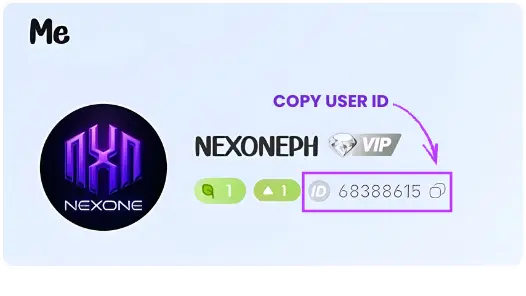
1. Enter your Poppo Live User ID,
Example: 123456789
2. Select the Poppo Live coins you want to buy.
3. Complete the payment using PH e-wallets or supported bank options.
4. Poppo Live coins will be credited to your account.
⚠️ REMINDER:
Kindly double-check your User ID before confirming the payment, as all successful transactions are non-reversible and non-refundable.
Select Item
Review
5.0
from 107,073 reviews
lenn**********@gmail.com
1x qty 5.000 Coins
15 Oct 2026, 23:15
"Diamonds credited instantly. No issues."
******
2.000 Coins
15 Oct 2026, 23:16
"Safe transaction and very smooth."
******
2.000 Coins
15 Oct 2026, 23:18
"No delay, very satisfied."
******
2.000 Coins
15 Oct 2026, 23:20
"Best price I’ve seen so far."
******
2.000 Coins
15 Oct 2026, 23:23
"My new go-to top-up site."
Account Details
Guide
Please double-check your Poppo ID before proceeding.
Voucher Code
Enter Voucher Code
Payment Method
Order Confirmation
Transaction Receipt (Optional)
Enter your email to receive a transaction receipt
Frequently Asked Questions
After completing your order on Nexone PH, the Poppo Live Coins will be credited directly to the Poppo Live account/User ID you entered during checkout. Please make sure your details are correct before confirming payment.
Most Poppo Live Coins top-ups on Nexone PH are processed automatically and delivered instantly after successful payment. In rare cases, slight delays may occur due to system verification.
Coins are sent directly to the User ID provided and cannot be reversed or refunded if the wrong ID is entered. Always double-check your Poppo Live User ID before completing your purchase.

Poppo Live Coins Top Up Philippines
Poppo Live users in the Philippines can purchase Poppo Live Coins online through Nexone.ph as an alternative to in-app purchases. Poppo Coins are used to send virtual gifts, support streamers, and unlock features within the Poppo Live platform.
To top up Poppo Live Coins, enter your correct Poppo ID, choose a coin package, and proceed to checkout. Nexone.ph supports local Philippine payment methods such as GCash, Maya, QRPH, and selected bank options, making it accessible for users with or without personal e-wallet accounts.
This Poppo Live Coins top up service is intended for Philippine users, with pricing and payment options aligned for local use. Please ensure that all account details are correct before completing the transaction.